

Effective Tips to Boost Your Home WiFi Coverage

Assessing Your Current WiFi Coverage
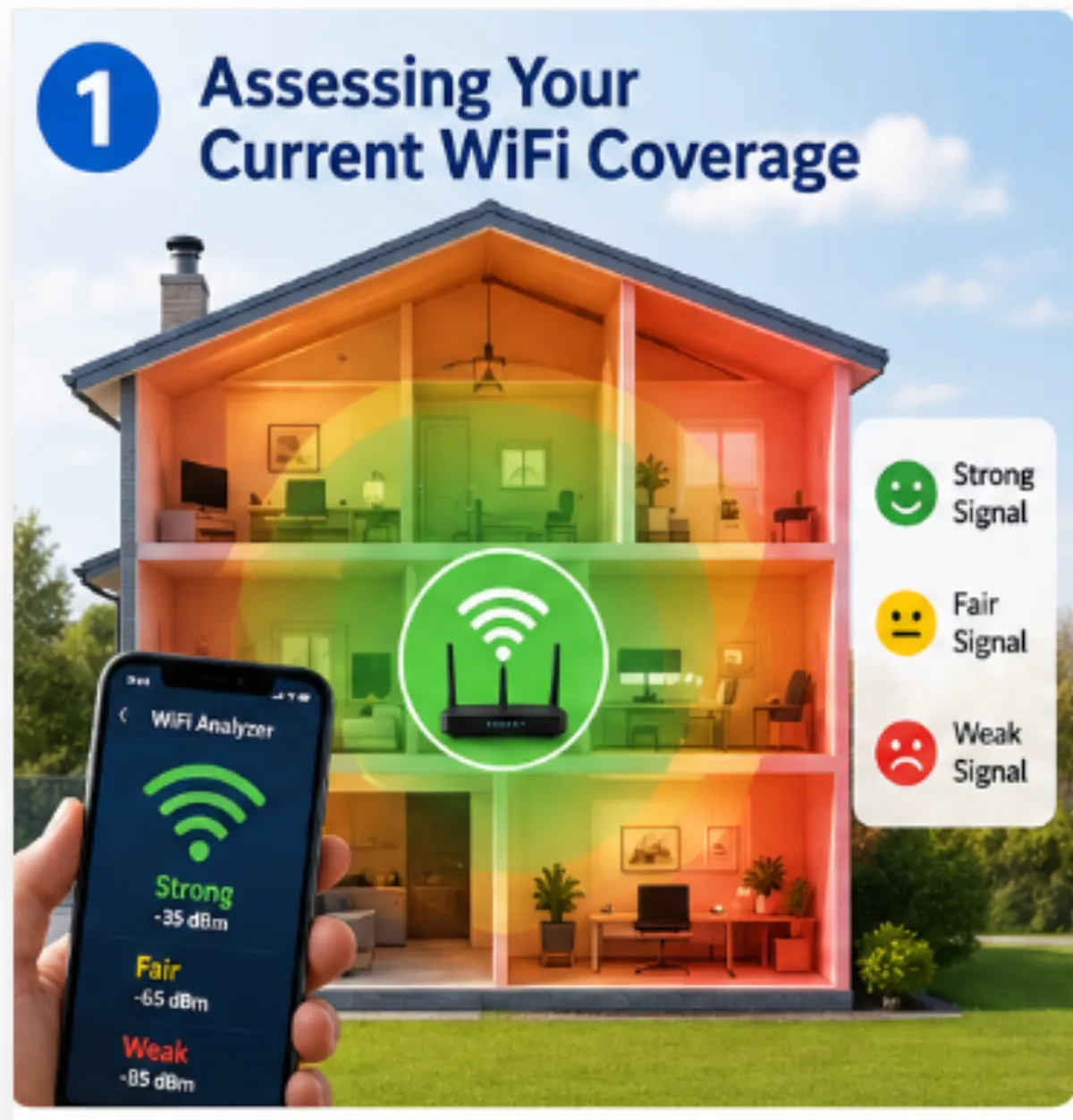
Before making any changes, it's essential to understand your current WiFi coverage. Begin by mapping out the areas of your home where the signal is strongest and weakest. Utilize apps or tools that can help visualize your WiFi signal strength. This step is crucial for identifying dead zones or areas with spotty connection, which will guide your subsequent actions in boosting coverage.
Regularly testing your WiFi speed in different areas can also provide insights into your network's performance. Use online speed tests to measure download and upload speeds in various rooms. Identifying specific trouble spots means you can target these areas first when implementing solutions to enhance your coverage.
Choosing the Right WiFi Extender
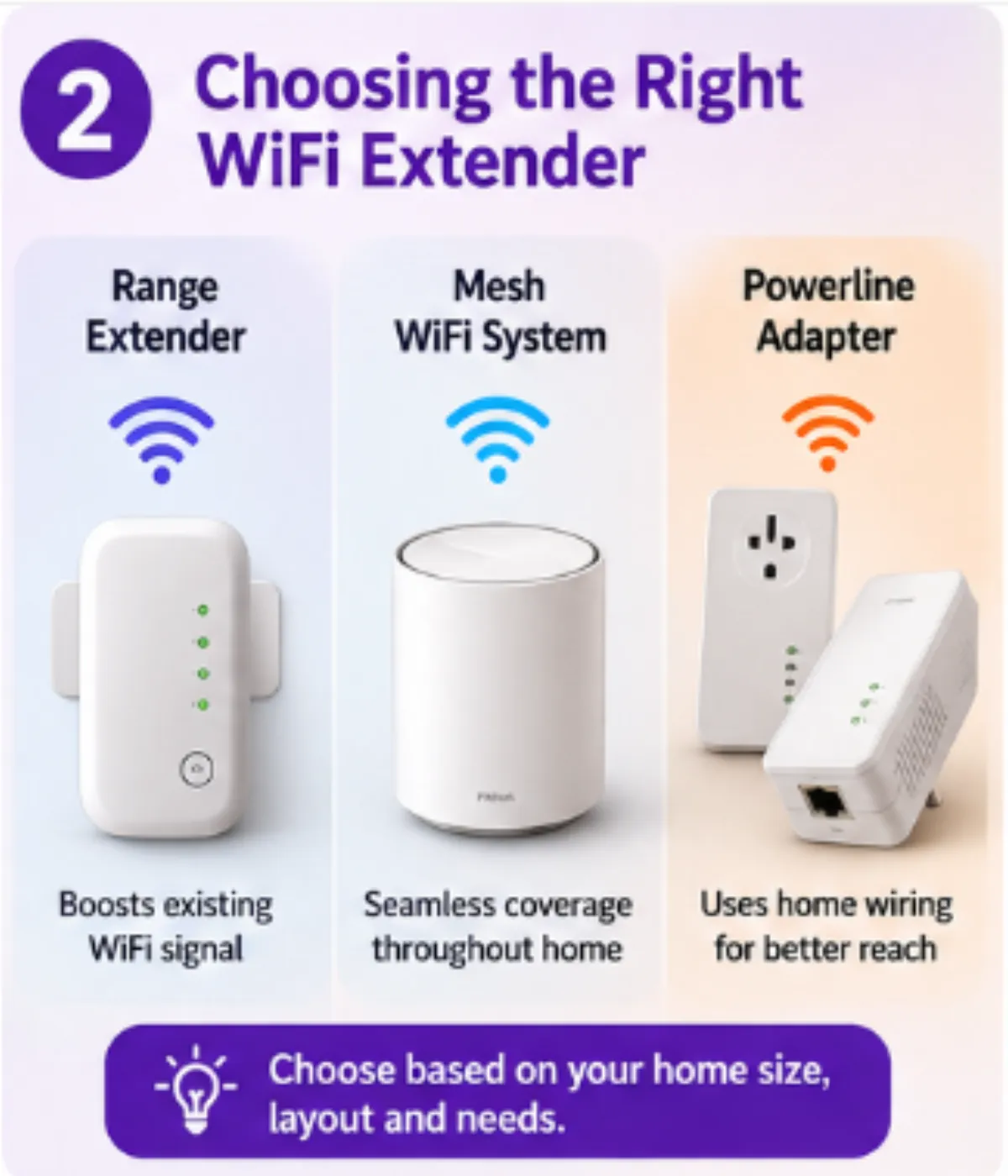
WiFi extenders are a popular solution for expanding coverage to areas your router can't reach. However, with so many options on the market, choosing the right one is critical. Consider the size of your home and the layout when selecting an extender. Additionally, ensure compatibility with your existing router to prevent potential connectivity issues.
When evaluating extenders, look for features such as dual-band connectivity, a compact design, and easy setup processes. Advanced extenders also offer mesh networking capabilities, which create a seamless network by eliminating dead spots effectively. Selecting a well-suited extender can significantly improve your WiFi coverage and overall internet experience.
Optimal Placement of Your Router and Extenders
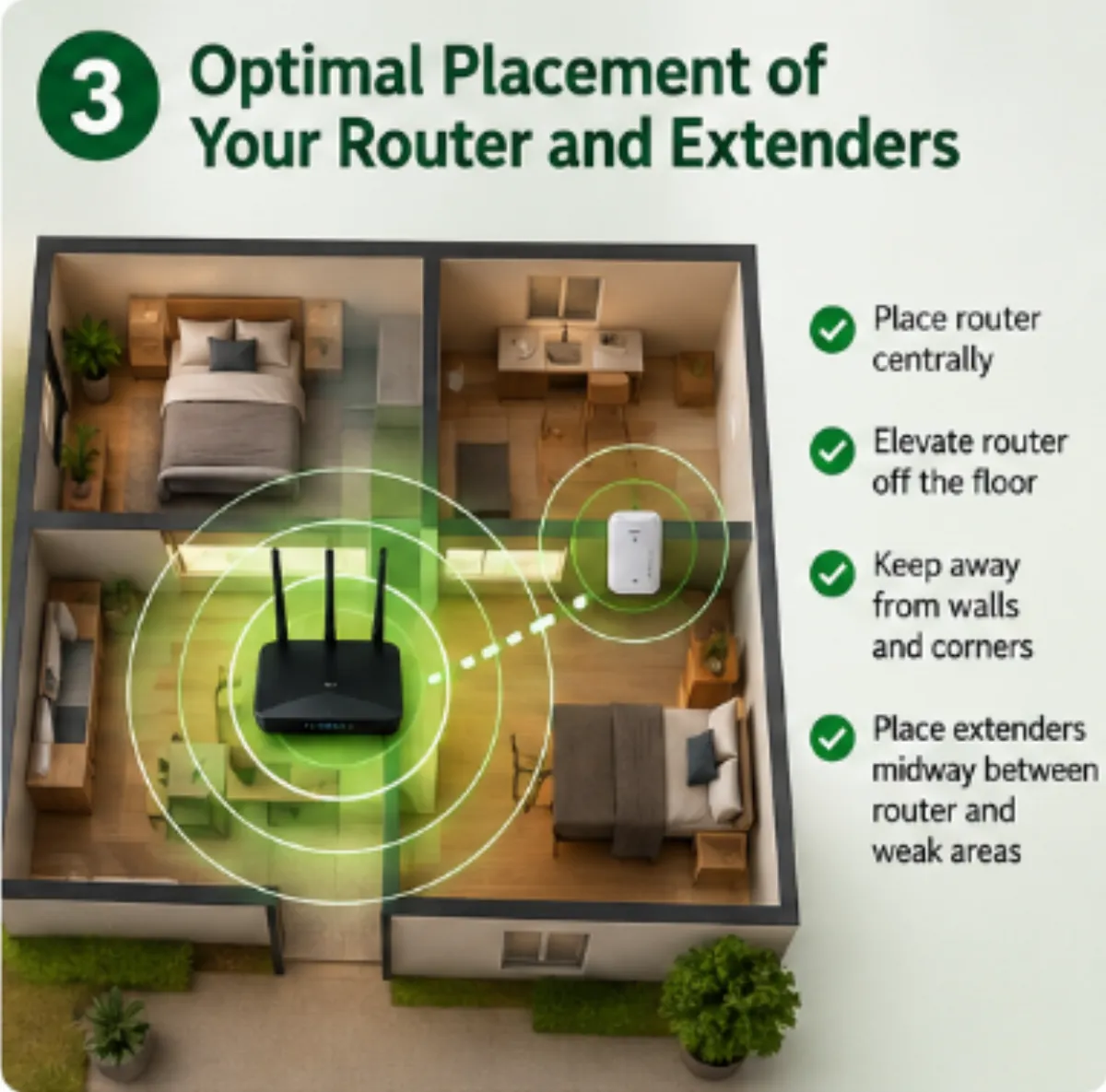
The location of your router and any extenders can greatly impact your WiFi coverage. Ideally, your router should be positioned in a central location away from walls and obstructions. Elevating the router on a shelf or mounting it on a wall can also enhance signal distribution.
For extenders, place them halfway between your router and the area you want to cover for optimal performance. Avoid placing them in areas where the router's signal is already weak. Experimenting with positions can make a significant difference in the coverage and strength of your WiFi network.
Understanding WiFi Interference and Its Remedies
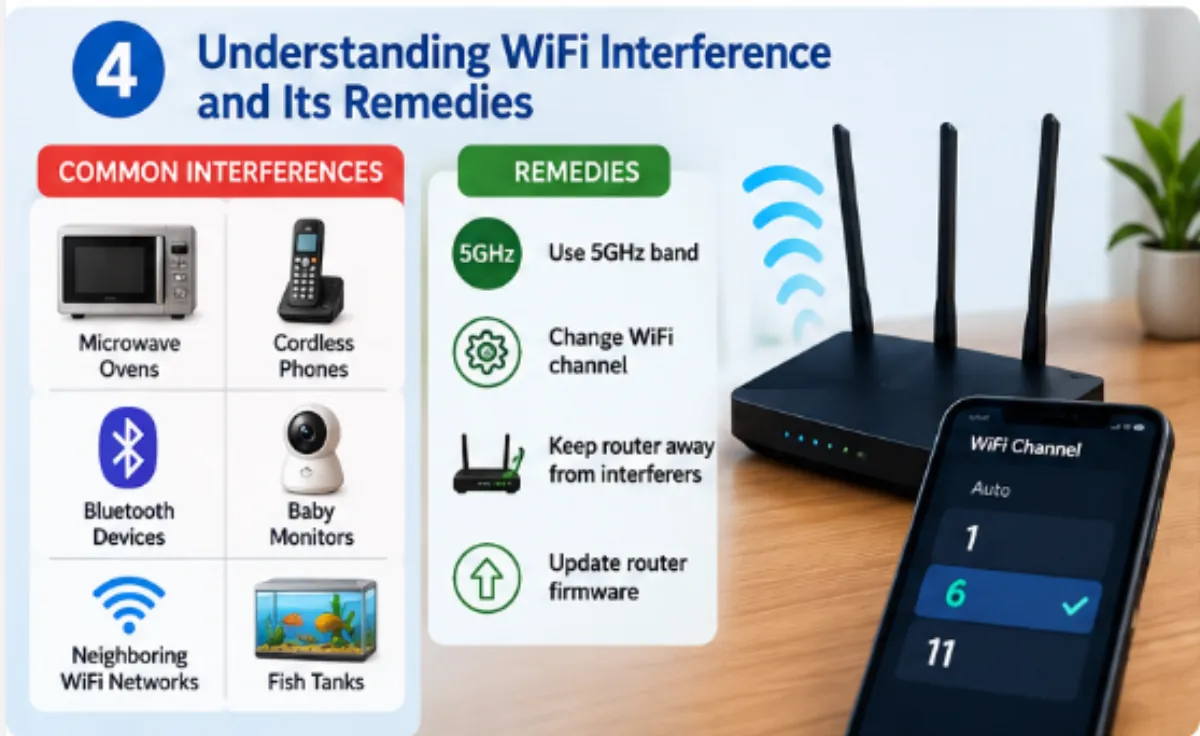
WiFi signal interference can degrade your network's performance. Common sources of interference include microwaves, cordless phones, and other electronic devices. Identifying these disruptions is the first step in mitigating their effects on your WiFi coverage.
Consider using a WiFi analyzer tool to identify less congested channels and switch your router settings accordingly. Furthermore, positioning your router away from the aforementioned devices and using newer, less crowded frequency bands such as 5GHz can help maintain a stable connection and improve overall network performance.
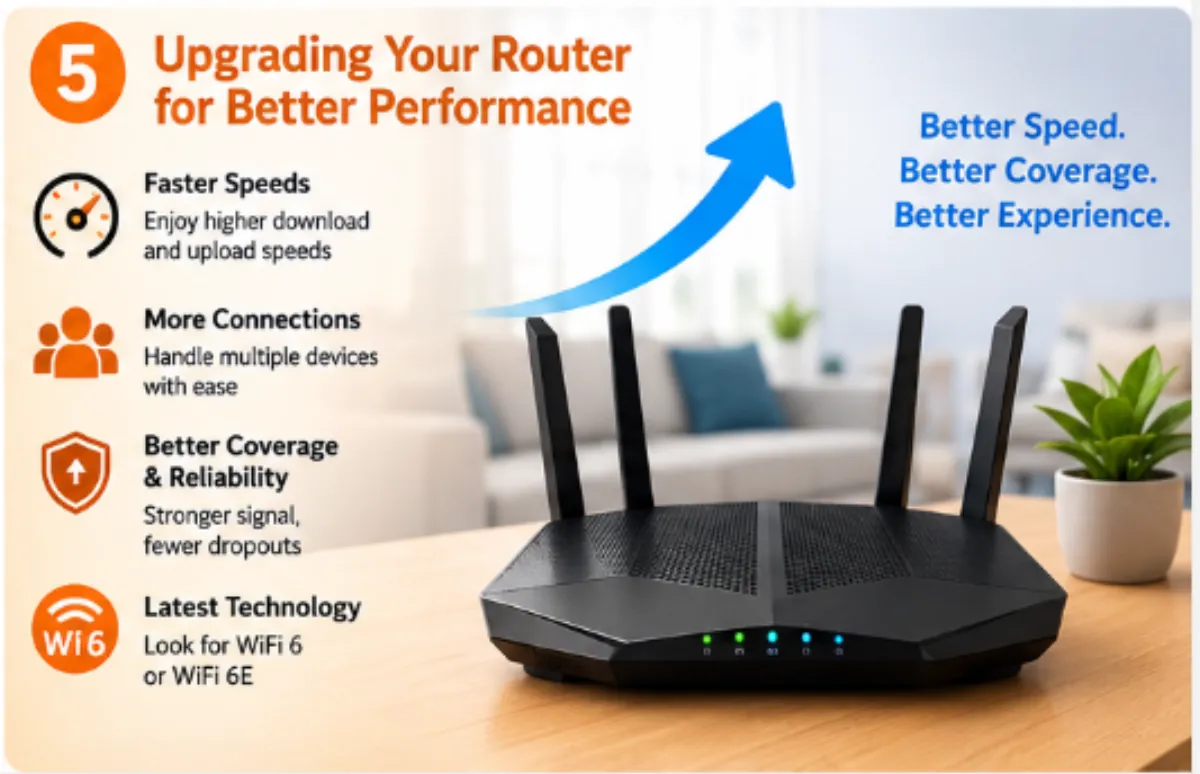
Upgrading Your Router for Better Performance
If you've tried other solutions and still experience coverage issues, upgrading your router could be the answer. Newer routers support faster WiFi standards and offer better range and reliability. When choosing a new router, consider models that offer features such as MU-MIMO (Multi-User, Multiple Input, Multiple Output) for handling multiple devices simultaneously.
Advanced routers often come with enhanced security features and customizable settings that allow for optimizing your network for specific needs. Upgrading can be a worthwhile investment if your current hardware no longer meets your household's demands for internet connectivity.
Enhancing WiFi coverage in your home can significantly improve your connectivity experience. By assessing your current setup, selecting the right tools, and understanding how to optimize your environment, you can enjoy a more stable and robust WiFi connection. For professional guidance or further assistance, consider reaching out to experts.
FAQ
Q: How can I test my current WiFi strength?
- A: You can use WiFi analyzer apps or online speed tests to gauge your current WiFi signal strength and identify weak spots.
Q: Are mesh network systems better than traditional extenders?
- A: Mesh systems provide seamless coverage across your home and are often more effective for larger areas or homes with many rooms.
Q: How often should I upgrade my router?
- A: Routers should generally be upgraded every 3-5 years to ensure optimal performance and security with the latest technology.
If you need Computer Support, contact Blackhawk MSP at 1-925-218-4000 ```