
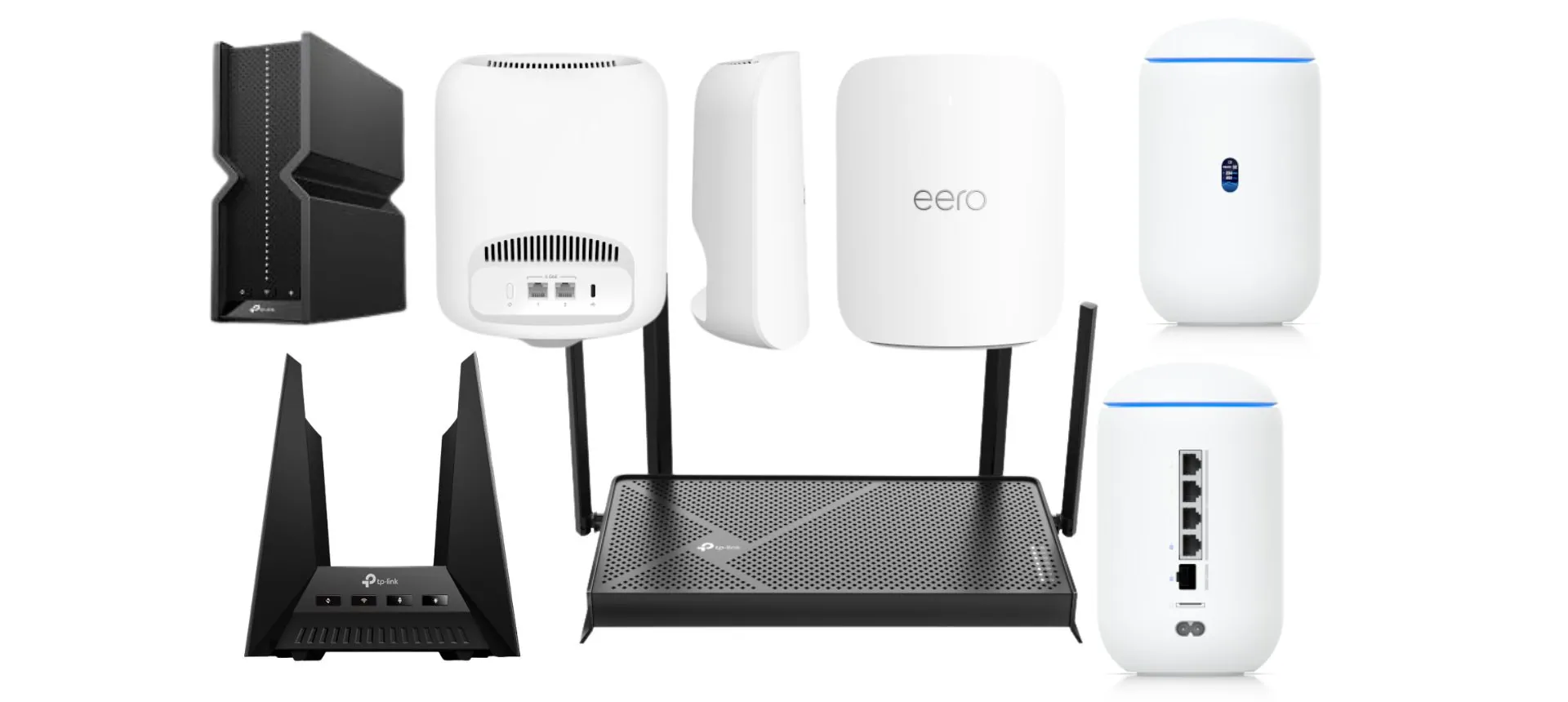
Best Wi-Fi Routers You Can Buy in 2026

If you've been putting off a router upgrade, there's a piece of news from earlier this year you should know about before you buy anything. In March 2026, the FCC added all consumer-grade routers made in foreign countries to its restricted equipment list, citing national security risk. It's already reshaping what's available on shelves, and it's going to keep doing so through the rest of the year.
We'll walk through exactly what that means for your next purchase, then get into our actual picks: the best overall router, the best budget option, the best for gaming, the best mesh system for larger homes, and the best setup if you're outfitting a home office or small business. These picks lean on independent lab testing from outlets that do rigorous benchmarking, combined with what we've actually seen hold up in real deployments for our own clients, not just spec sheets.
What's Different About Buying a Router in 2026
Wi-Fi 7 Is the New Normal

Wi-Fi 7 (the 802.11be standard) has moved from "premium upgrade" to the default expectation on most new routers this year. The headline feature is something called Multi-Link Operation, or MLO, which lets your devices use more than one frequency band at the same time instead of locking onto a single band and hoping for the best. In practice, that means steadier connections and lower lag, especially useful for video calls and anything competitive in gaming.
You don't strictly need Wi-Fi 7 if your current setup works fine and your devices are a few years old. But if you're buying new anyway, there's little reason to buy anything older at this point.
The FCC's Foreign-Made Router Restriction, Explained Plainly
Here's the short version. In March 2026, the FCC updated its Covered List, the federal list of equipment considered a national security risk, to include consumer routers manufactured outside the United States. The decision followed a determination from a White House-convened national security review that pointed to several state-sponsored cyberattack campaigns (commonly referred to as Volt Typhoon, Flax Typhoon, and Salt Typhoon) which exploited vulnerabilities in home and small-office routers to gain access to American networks.
What this actually changes:
- New router models from foreign manufacturers can no longer get the FCC authorization required to be imported or sold in the US, unless the manufacturer receives a specific exemption.
- Routers you already own are unaffected. You can keep using anything you've already purchased.
- Previously authorized models already on shelves can still be sold. Retailers aren't pulling existing inventory.
- Some manufacturers have received conditional approval to keep releasing new models. Eero and Netgear are two notable examples that secured exemptions allowing them to continue bringing new hardware to market through at least October 2027.
- TP-Link has stated the restriction affects most of its new consumer router lineup and says it's working toward US-based manufacturing to comply going forward.
Practically speaking, this means the selection of brand-new router models is going to thin out over the back half of 2026 unless a manufacturer secures an exemption or shifts production. If you've been eyeing an upgrade, that's a reasonable nudge to stop waiting.
What to Actually Look For Before You Buy
Skip the marketing checklist and focus on what actually changes your day-to-day experience:
- Do you need Wi-Fi 7, or is Wi-Fi 6E enough? If you're not running multiple 4K streams, competitive gaming, or a houseful of devices, a well-reviewed Wi-Fi 6E router is still a perfectly solid, often cheaper choice.
- At least one 2.5Gbps or 10Gbps wired port. This matters most if you're on a multi-gig internet plan or plan to be soon. A gigabit-capped port becomes the bottleneck no matter how fast your Wi-Fi is.
- Security features that do real work. Automatic firmware updates, network-level threat detection, and proper guest network isolation matter more than flashy app dashboards.
- Single router vs. mesh, sized honestly to your space. A lot of people buy a 3-piece mesh kit for a 1,400 square foot apartment they didn't need. Match the system to your actual square footage, not the marketing claim on the box.
Best Overall Router: TP-Link Archer BE550
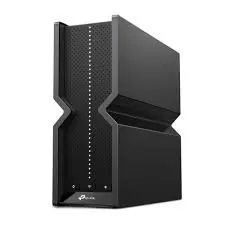
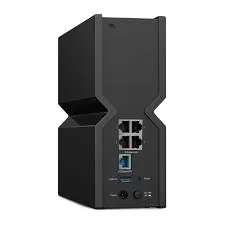
For most households, this is the one to buy. The Archer BE550 is a tri-band Wi-Fi 7 router that delivers strong real-world throughput, in independent testing it held over 1.8Gbps at close range and roughly 800Mbps at 50 feet, which covers a typical home comfortably even with a lot of devices connected.
It comes with four 2.5Gbps wired ports, OneMesh support if you want to add coverage later without replacing the whole system, and a setup app simple enough to be done in well under ten minutes. At a street price around $150, it's the rare router that doesn't ask you to choose between performance and affordability.
Best for: households with 20 to 50+ connected devices on a gigabit or near-gigabit internet plan.
Best Budget Router: TP-Link Archer BE3600
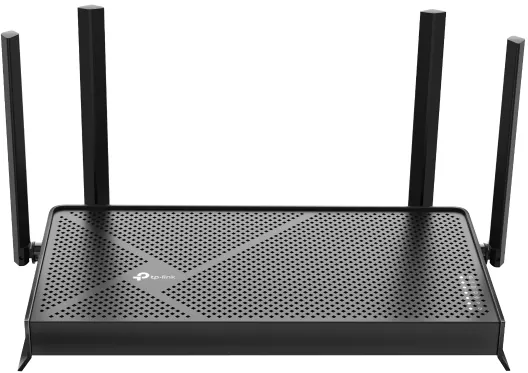
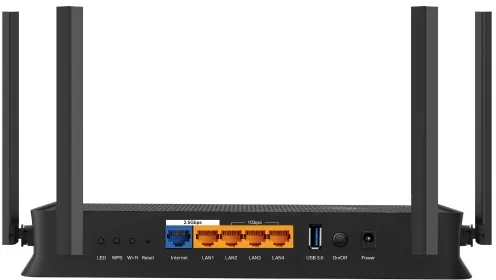
If $150 feels like more than you want to spend, the Archer BE3600 is a genuinely solid option for under $80. It skips the 6GHz band that defines full Wi-Fi 7 performance, but its 5GHz band still surpassed 1Gbps in testing, and it held up well even at distance.
You still get a 2.5Gbps WAN port, a 2.5Gbps LAN port, three additional gigabit LAN ports, and a USB port for sharing external storage across your network, a surprisingly generous port selection for the price.
Best for: smaller households or apartments that want a real upgrade from an ISP-provided router without paying premium prices.
Best Router for Gaming: TP-Link Archer GE800
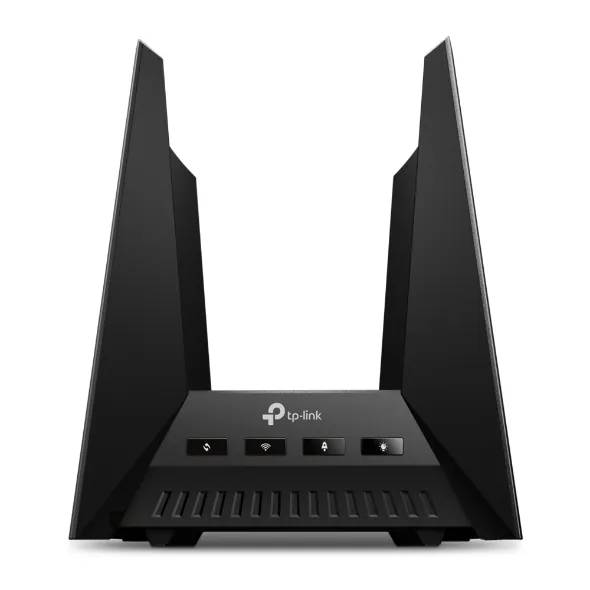
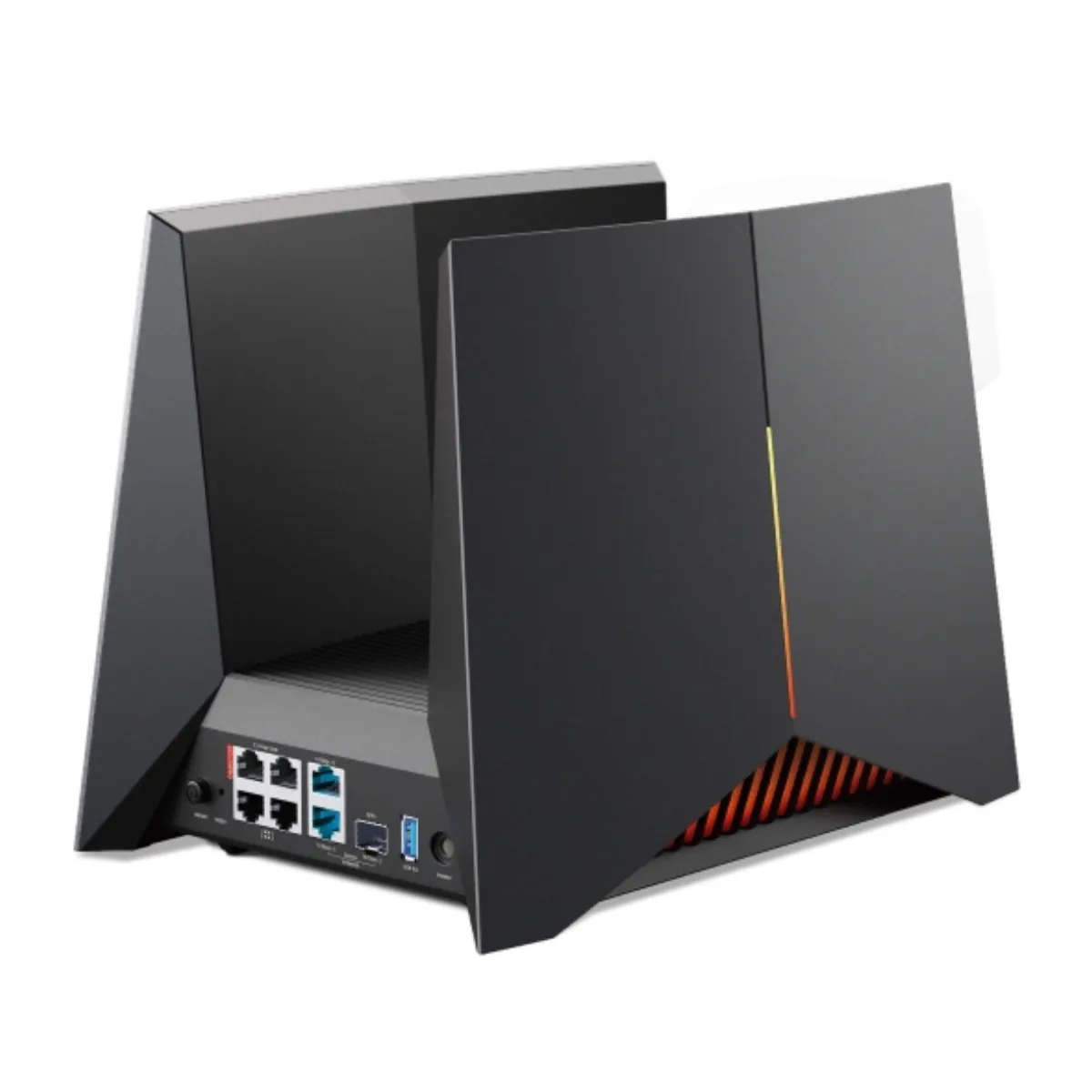
For dedicated gamers, the Archer GE800 is built specifically around low latency and consistent performance under load, with the kind of bold, attention-getting design that makes no secret of who it's for. It leans into full Wi-Fi 7 performance with MLO support, which matters most in fast-paced, latency-sensitive games where a flaky connection costs you the match, not just the stream.
It's priced at a premium relative to general-purpose routers, so it makes the most sense if gaming performance is genuinely your top priority rather than a nice-to-have.
Best for: competitive gamers who want a router built around their specific use case, not a general home router that happens to handle gaming fine.
Best Mesh System for Larger Homes: eero Pro 7
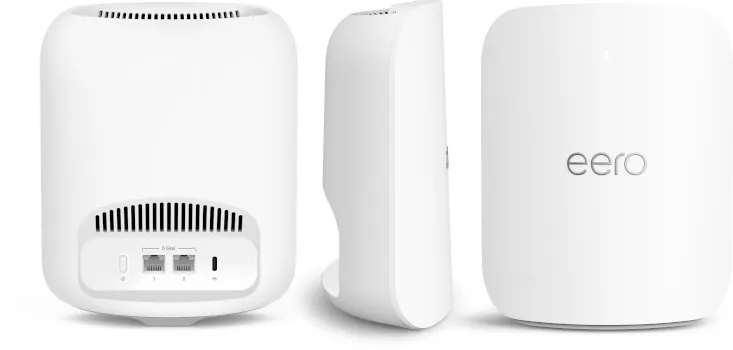
If your home is large, multi-floor, or has stubborn dead zones, a single router won't fix that no matter how good it is. The eero Pro 7 is a tri-band Wi-Fi 7 mesh system that prioritizes stability and ease of setup over raw peak performance, and for most households, that's exactly the right trade-off.
A single unit covers roughly 2,000 square feet, with each additional unit extending coverage further, three units cover up to 6,000 square feet combined. Each node includes two auto-sensing 5Gbps ports, and the setup process through eero's app is about as close to plug-and-forget as mesh networking gets. It's also worth noting eero has already secured a federal exemption allowing continued sales of new models through at least October 2027, so this is a safe long-term pick given the regulatory shift discussed earlier.
Pricing runs around $299 for a single unit, with multi-packs available for larger homes.
Best for: homes over 2,000 square feet, multi-floor layouts, or anyone tired of a weak signal in the back bedroom.
Best Router for a Home Office or Small Business: UniFi Dream Router 7

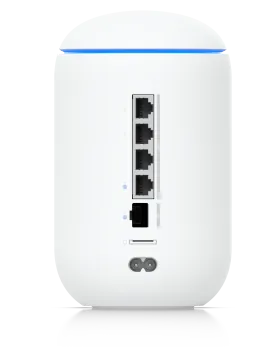
This is the pick that doesn't show up on most consumer "best router" lists, and it's the one we'd actually recommend to most of our small business and serious home office clients. The UniFi Dream Router 7 packs business-grade networking into a compact desktop unit: a 10Gbps SFP+ WAN port, three 2.5Gbps LAN ports, tri-band Wi-Fi 7 covering up to 1,750 square feet, and built-in threat detection running at 2.3Gbps.
What sets it apart is the full UniFi software suite. You get real VLAN support to separate work devices from guest traffic, proper network-level security monitoring, and the option to layer in camera storage and access control later without buying entirely new hardware. It's overkill for casual home use, but for a small office or anyone serious about keeping work and personal network traffic separated, it's the most capable option at its $279 price point. It's also already FCC-authorized, with update support confirmed through January 2029, so it's unaffected by the new restrictions discussed earlier.
Best for: home offices and small businesses that want real network segmentation and security monitoring, not just faster Wi-Fi.
Quick Comparison
| Router | Wi-Fi Standard | Approx. Price | Best For | Wired Ports |
|---|---|---|---|---|
| TP-Link Archer BE550 | Wi-Fi 7 (tri-band) | ~$150 | Best overall | Four 2.5Gbps |
| TP-Link Archer BE3600 | Wi-Fi 7 (no 6GHz) | Under $80 | Best budget | 2.5Gbps WAN/LAN + three 1Gbps |
| TP-Link Archer GE800 | Wi-Fi 7 | Premium tier | Best for gaming | Multiple high-speed ports |
| eero Pro 7 | Wi-Fi 7 (tri-band mesh) | ~$299/unit | Best mesh for larger homes | Two 5Gbps per unit |
| UniFi Dream Router 7 | Wi-Fi 7 (tri-band) | ~$279 | Best for home office/small business | 10G SFP+ WAN + three 2.5Gbps LAN |
Mesh vs. Single Router: Which Do You Actually Need?
If your home is under 2,000 square feet, single level, and you're not dealing with dead zones today, a single router like the Archer BE550 or BE3600 is genuinely enough. Save the money.
If you're regularly losing signal in certain rooms, live across multiple floors, or have a larger footprint, mesh is worth the extra cost. The difference isn't about raw speed, it's about consistent coverage everywhere in the house instead of a strong signal near the router and a weak one everywhere else.
Not Sure What Fits Your Setup?
Every home and office is different, and the right router depends on your actual layout, device count, and how you use your connection day to day. If you'd rather get a straight recommendation than guess, we offer free network assessments for both home and business setups.
[Schedule your free network assessment]
Frequently Asked Questions
Do I need a Wi-Fi 7 router right now? Not urgently, but if you're buying new hardware anyway, there's little reason to choose an older standard. If your current setup works fine, there's no need to rush an upgrade purely for the new standard itself.
Why can't I buy some router brands anymore in the US? In March 2026, the FCC restricted new equipment authorizations for consumer routers made overseas, citing national security concerns tied to several state-sponsored cyberattack campaigns. Some manufacturers, including Netgear and Eero, have secured exemptions to keep releasing new models. Routers you already own are completely unaffected.
Is mesh Wi-Fi worth it for a small house or apartment? Usually not. Mesh systems shine in larger or multi-floor homes with real dead zones. For most apartments and smaller homes, a single good router covers the space just as well for less money.
How often should I replace my router? Every five to seven years is a reasonable baseline, sooner if you've upgraded your internet plan beyond what your current router can handle, or if it's no longer receiving firmware and security updates from the manufacturer.