
How to Install FUDforum via Softaculous in SiteWorx
Overview: How to Install FUDforum via Softaculous in SiteWorx
This guide explains How to Install FUDforum via Softaculous in SiteWorx step‑by‑step and why it matters for security, uptime, and performance. It’s written for small and medium businesses that rely on Blackhawk MSP for proactive, managed IT support in the Bay Area and beyond.
- ✅ Clear, actionable steps
- ✅ Best‑practice notes from our MSP engineers
- ✅ Links to related services and help
Tip: If you’re short on time, contact us — we’ll handle this for you and verify everything is working.
Softaculous helps you install web applications very easy. Please, follow the steps below to install FUDforum.
1. Log in to your SiteWorx account.
2. In the Additional Features section, click on Sofataculous.
3. SiteWorx will redirect you to the Softaculous interface.
4. On the left side, type FUDforum in the search box, then click the FUDforum link that appears.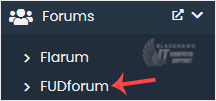
5. Click on Install.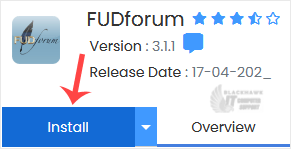
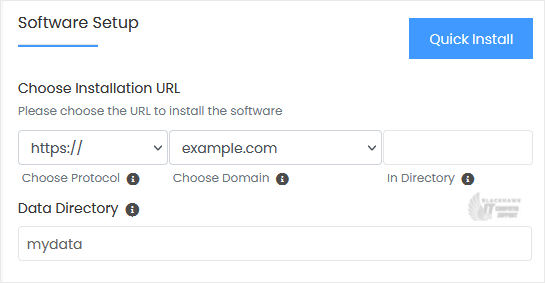
6. Fill the necessary field, under the Software Setup section:
- Choose Installation URL: Choose the appropriate protocol/domain. Inside the "In Directory" field, should you want to install this in a directory, i.e., example.com/directory, enter the directory name. Otherwise, please, leave it blank to install in your main domain, i.e., example.com.
- Data Directory: You can leave this as it is.
7. Enter the following details under the Site Settings section:
- Site Name: Name of your Forum, such as Technology Forum.
- Site Description: Your site description.
8. Under the Admin Account section, enter the following information:
- Admin Username: Your new FUDforum username (for security reasons, do not use the administrator or the admin username).
- Admin Password: Use a strong password.
- Admin Email: Your email address. It is helpful for admin account password reset, notification, etc.
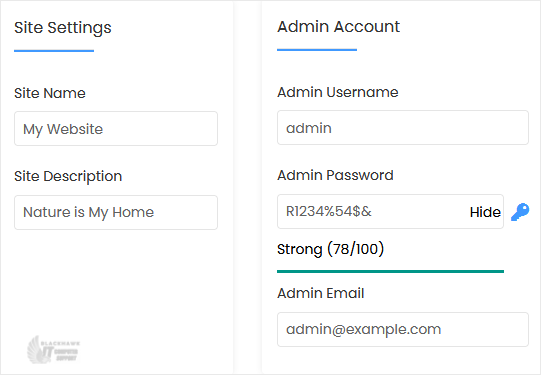
Note: Copy the admin username and password to Notepad. You will need those to access the admin area of your FUDforum forum later.
9. Advanced Options: Leave this unless you want to change the database name or take an automated backup. Please, note that creating frequent backups may take a lot of disk space.
Finally, scroll down to the end of the page and click on Install.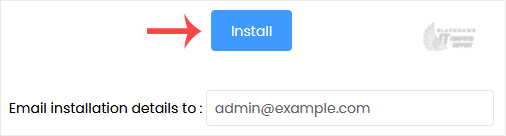
Video tutorial temporarily unavailable while we refresh links. If you need more help, please call us at 1-925-218-4000.
Need help? Blackhawk MSP can do this for you, verify success, and document the change. Call 1‑925‑218‑4000 or open a ticket.