
How to Add a cPanel Email Account on Apple/iOS
Overview: How to Add a cPanel Email Account on Apple/iOS
This guide explains How to Add a cPanel Email Account on Apple/iOS step‑by‑step and why it matters for security, uptime, and performance. It’s written for small and medium businesses that rely on Blackhawk MSP for proactive, managed IT support in the Bay Area and beyond.
- ✅ Clear, actionable steps
- ✅ Best‑practice notes from our MSP engineers
- ✅ Links to related services and help
Tip: If you’re short on time, contact us — we’ll handle this for you and verify everything is working.
You can add a cPanel email account to your Apple IOS mobile and be able to automatically check emails in a specific time or manually do it. You can get a new email notification on your mobile.
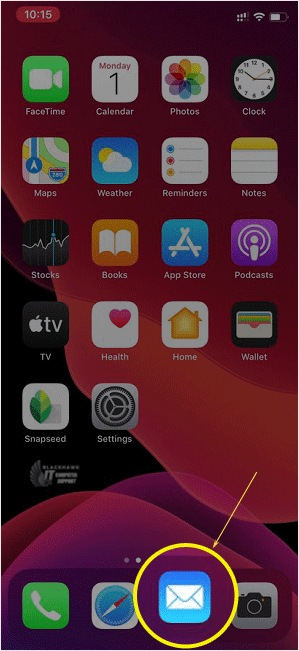
1. Open the main screen of your Apple Mobile and click on the Settings icon.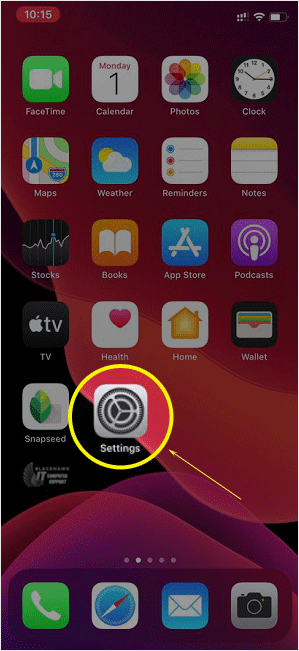
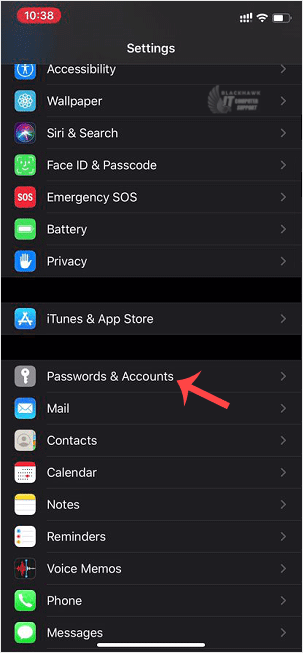
2. Scroll down and tap on Passwords & Accounts.
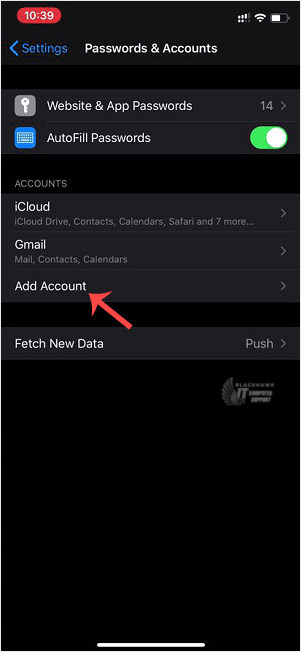
3. Tap on Add Account.
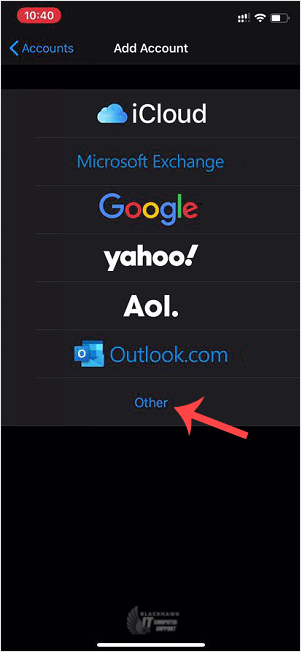
4. Select the Other Option.
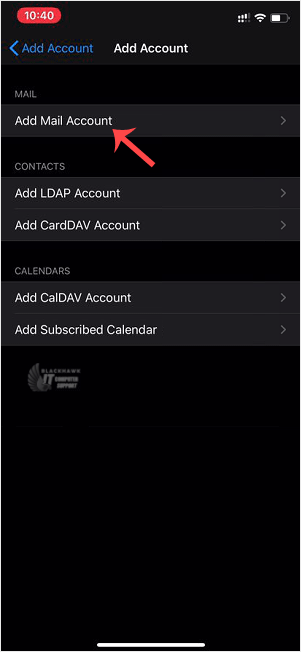
5. Tap on Add Mail Account.
6. Enter the following details:
Email: Your full cPanel Email address.
Description: Add description such as Support Account.
Under Incoming Mail Server, your info should be as follows:
Hostname: Your domain name such as example.com
Username: Your full email address such as [email protected]
Password: Your email password.
Outgoing Mail Server:
Hostname: Your domain name, such as example.com
Username: Your full email address, such as [email protected]
Password: Your email password.
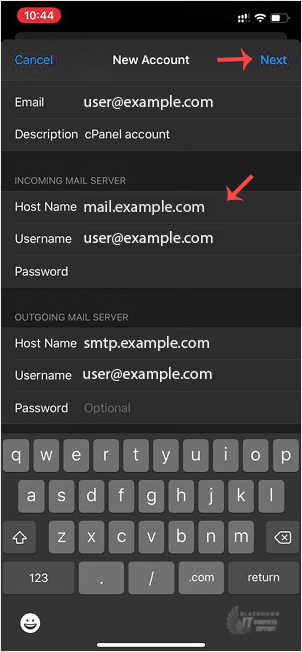
After adding the full details, press the Next button. It can take a few minutes to verify the login details.
Once the email has been added successfully, you can access your newly added email account from the Apple Mail App.
Video tutorial temporarily unavailable while we refresh links. If you need more help, please call us at 1-925-218-4000.
Need help? Blackhawk MSP can do this for you, verify success, and document the change. Call 1‑925‑218‑4000 or open a ticket.