
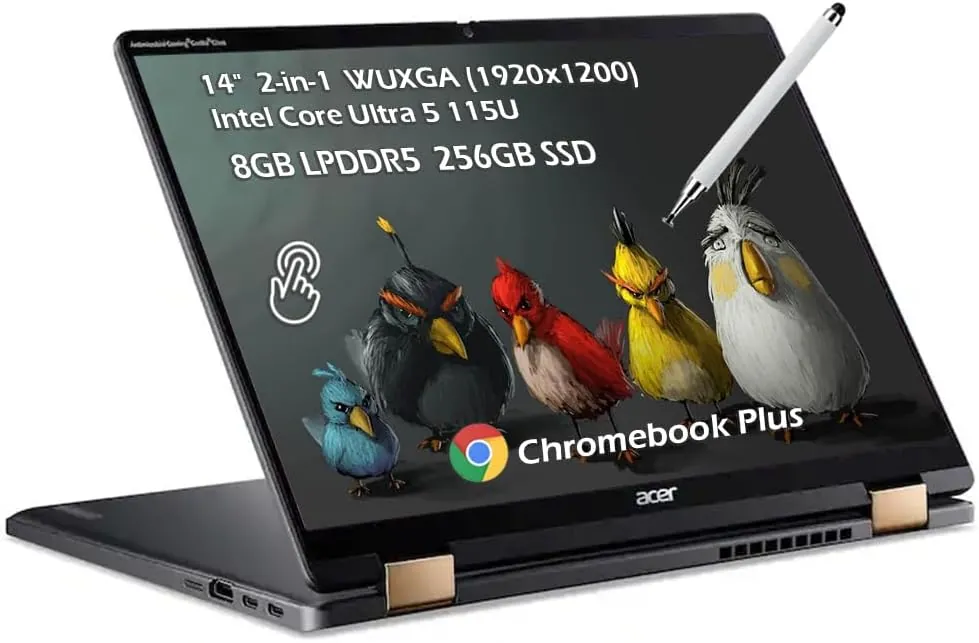
Acer Chromebook Plus Spin 714 review: The Right Chromebook for the Right Person

At $699, the Acer Chromebook Plus Spin 714 is not trying to be the cheapest laptop in the room. It is trying to be the best Chromebook in the room, and there is a meaningful difference between those two goals.
The "Plus" designation is not marketing gloss. It signals a defined tier of Chromebook with a minimum spec floor, built-in Gemini AI tools, a one-year Gemini Advanced trial, and Google's commitment to push ChromeOS updates through June 2034. That 10-year software support window is the buried lead for business buyers and schools, and it changes how the $699 price looks over a multi-year horizon.
The catch: none of that matters if ChromeOS does not fit your workflow. If you need Windows-specific software, the Asus Zenbook 14 competes at the same price with an OLED display and full Windows compatibility. This review helps you figure out which side of that line you are on.
Specs and Pricing
One configuration is available: Intel Core Ultra 5 115U processor, 8GB RAM, 256GB SSD, and a 14-inch 1920x1200 IPS touchscreen for $699. No upgrade paths for RAM or storage exist at this tier.
The port selection is a genuine strength at this price: two Thunderbolt 4 / USB-C ports with DisplayPort and Power Delivery, one full-size USB-A, one HDMI 2.0, and a combo audio jack. That lineup beats laptops costing twice as much. Wi-Fi 6E and Bluetooth 5.2 handle wireless. One practical note: the USB-C charging cable occupies one of the two Thunderbolt ports while plugged in.
Design and Build
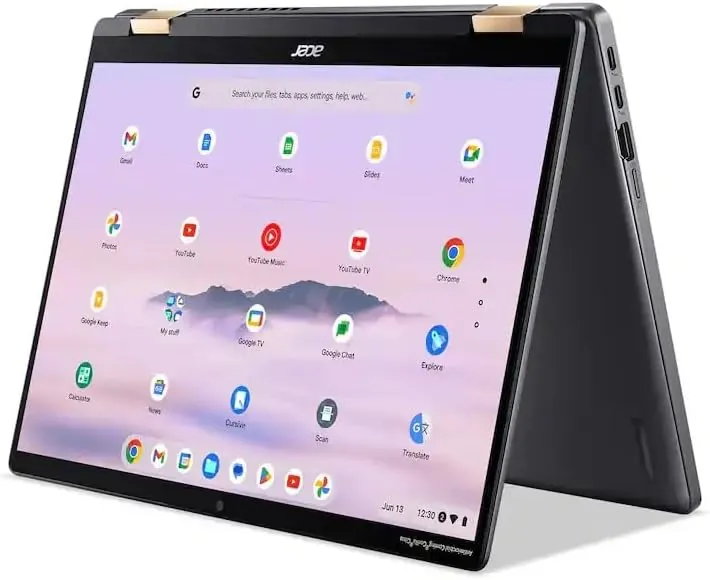
The Spin 714 weighs 3.21 lbs and measures 0.71 inches thin, built from aluminum in Steel Gray with gold highlights on the lid and hinges. It is one of the more refined-looking designs in the Chromebook space. The 360-degree hinge enables four use modes: laptop, tent, media, and tablet. Rounded rear corners make tablet mode noticeably more comfortable to hold in-hand than a sharp-cornered convertible. The MIL-STD-810H durability certification means it has passed drop, vibration, humidity, and temperature testing.
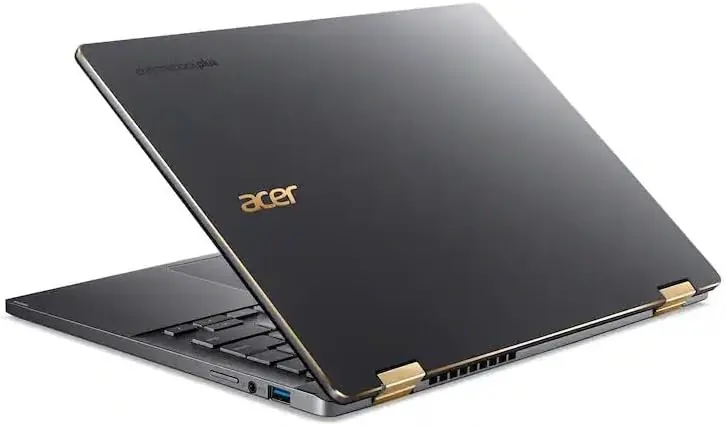
One cosmetic flag: the words "Antimicrobial Corning Gorilla Glass" are printed directly onto the screen bezel. It is not a sticker and cannot be removed, which sits awkwardly on an otherwise clean design.
Display
The 14-inch IPS panel runs at 1920x1200 with a 16:10 aspect ratio, 100% sRGB coverage, and a glossy Gorilla Glass touch surface. Colors are accurate and the taller aspect ratio adds useful vertical space for documents and web pages.
The limitation is brightness. At 340 nits behind a glossy surface, reflections are a problem in bright rooms and the display becomes genuinely difficult to use in direct sunlight. For indoor environments, it performs fine. For anyone who regularly works outside or near windows, it will frustrate.
The garaged USI stylus, included in select configurations, charges passively in a chassis silo with no separate cable needed. Verify the specific SKU before purchasing since not all configurations include it.
Keyboard, Trackpad, Webcam, and Audio
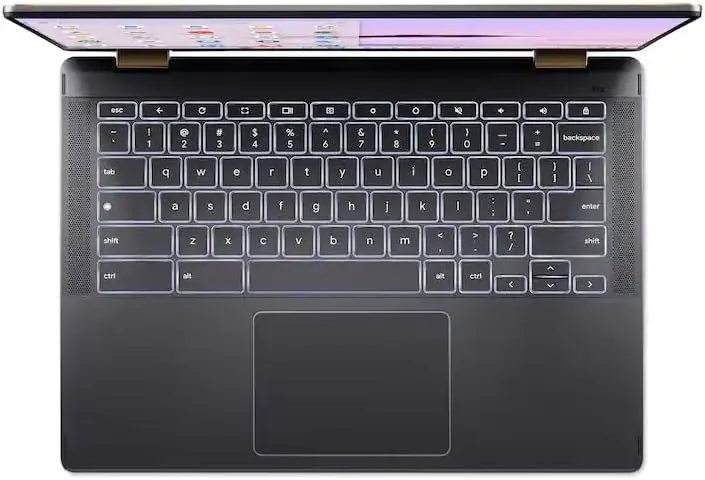
The keyboard is a genuine highlight. Key travel is meaningful, response is snappy, and reviewers consistently call it one of the better typing experiences in the Chromebook category. The backlit keys are well-spaced and nothing bottoms out uncomfortably under sustained typing.
The OceanGlass trackpad, made from recycled ocean-bound plastic, is responsive and accurate. It is not as smooth as the premium haptic glass trackpads on higher-end machines, but it performs reliably and the sustainability angle is a real differentiator rather than a label.
The 1440p QHD webcam is one of the Spin 714's strongest features. It handles varied lighting well, produces a sharp and accurate image, and comes with a physical privacy shutter that fully blocks the lens. For a laptop in this price range, the webcam quality is notably above average and makes a real difference on daily video calls.
The speakers are the honest weak point. Multiple reviewers flag them as below average even by laptop standards. For a work machine used primarily for calls and productivity, that is manageable. For media consumption without headphones, it is a real drawback.
Performance and Battery Life
The Core Ultra 5 115U handles ChromeOS with room to spare. Dozens of browser tabs, Google Workspace, video calls, Android apps running in parallel: the Spin 714 manages all of it without hesitation. ChromeOS's efficiency means the processor is rarely under real pressure doing what this laptop is designed for.
The ceiling is where the OS architecture defines things, not the chip. Heavy local video editing, high-resolution image processing, or any software that runs only on Windows or macOS simply does not apply here. For browser-based and cloud-based workflows, performance is strong. For workflows that need native desktop apps, no amount of processor speed changes the equation.
Real-world battery testing by Laptop Mag produced 9 hours and 30 minutes, close to Acer's 10-hour claim and enough for a full work or school day without hunting for an outlet.
How It Compares
vs. budget Chromebooks ($300 to $400): The upgrade is meaningful if you use the machine heavily: more RAM headroom, faster CPU, Thunderbolt 4, and a 1440p webcam. If you open three tabs and check email, the cheaper machine does the same job.
vs. ASUS Zenbook 14 (Windows, similar price): The Zenbook offers an OLED display and full Windows app compatibility. For anyone who needs Windows-specific software, the Zenbook wins outright. The Spin 714 counters with a better update commitment and longer battery life, but the OLED and Windows access are hard advantages for many buyers.
vs. Samsung Galaxy Chromebook Plus (similar price): Samsung's AMOLED panel is more vibrant and brighter. Acer wins on webcam quality, Thunderbolt 4, battery life, and the update window (10 years vs. 8). Display quality favors Samsung; nearly everything else favors Acer.
Who Should Buy It
Buy it if your daily workflow lives in a browser and Google Workspace, video calls are a regular part of your day and webcam quality matters, you want a convertible with stylus support under $700, or you are purchasing for a school or business that values a 10-year update commitment on durable hardware.
Skip it if you rely on any Windows-specific software, you frequently use your laptop in bright rooms or outdoors, you want to upgrade RAM or storage down the line, or speaker quality is important to how you use a laptop.
The Verdict
The Acer Chromebook Plus Spin 714 does not try to be everything to everyone. It is a well-built convertible with a standout webcam, an excellent keyboard, solid all-day battery life, and a software support window that no $699 Windows laptop can touch.
The display is its clearest limitation, and the speakers are a second honest knock. Neither disqualifies it for the buyer it is built for. For students, educators, remote workers, and small businesses running Google Workspace, it is one of the strongest options at this price.
The right Chromebook for the right person is still a very good laptop.
Quick Specs
| Processor | Intel Core Ultra 5 115U |
| RAM | 8GB |
| Storage | 256GB SSD |
| Display | 14-inch IPS, 1920x1200, 16:10, 340 nits, glossy touch |
| Webcam | 1440p QHD with physical privacy shutter |
| Ports | 2x Thunderbolt 4 (USB-C), 1x USB-A, 1x HDMI 2.0, audio jack |
| Wireless | Wi-Fi 6E, Bluetooth 5.2 |
| Battery life | Up to 10 hours (claimed), 9.5 hours (tested) |
| Weight | 3.21 lbs (1.46 kg) |
| OS | ChromeOS (updates through June 2034) |
| Price | $699 |
Frequently Asked Questions
What is Chromebook Plus? A tier of Chromebooks meeting a defined minimum spec (Core Ultra processor, 8GB RAM, 256GB storage, 1080p display and webcam) with built-in AI tools and a one-year Gemini Advanced trial included.
How long will the Acer Chromebook Plus Spin 714 get updates? Google has committed to ChromeOS updates through June 2034, which is 10 years from the device's launch.
Can I run Microsoft Office on the Acer Chromebook Plus Spin 714? The web version of Microsoft 365 runs in the browser and covers most common tasks. Full desktop versions of Word, Excel, and PowerPoint do not run on ChromeOS.
Is 8GB of RAM enough for a Chromebook? For browser tabs, Google Workspace, and Android apps, yes. ChromeOS is significantly more memory-efficient than Windows, so 8GB here goes further than 8GB on a Windows machine.